Connect your own VDS to AI vibe-coding over SSH — NeuralSpace
Коротко о главном (BLUF)
В этом материале мы разбираем ключевые аспекты работы с нейросетями: актуальные модели, практические советы по промптам и примеры генераций. Читайте дальше, чтобы узнать подробности.
The "Code" section on NeuralSpace just got a third kind of server for your projects: your own VDS. Until now the AI built your site either inside a shared container or on a dedicated server you rent through us. Now you can plug in any server you own — a plain VPS for a couple of dollars a month, a home box with a public IP, or a machine in any cloud — and the AI will write, run and deploy code right there on it.
Why bother
- Hosting is free. The project lives on your hardware — NeuralSpace doesn't bill you for disk space or traffic. You pay only for the AI's work, exactly like in a normal chat.
- No container limits. On your own VDS the AI agent has full access: it installs packages with apt, spins up Docker, configures nginx and databases, registers services in systemd — anything you'd do by hand over SSH.
- Full control. The project files are always yours. Disconnect the project and everything stays on your server.
How to connect: step by step
Open the "Code" section, click "New project" and tick "Your own VDS". A connection form shows up:
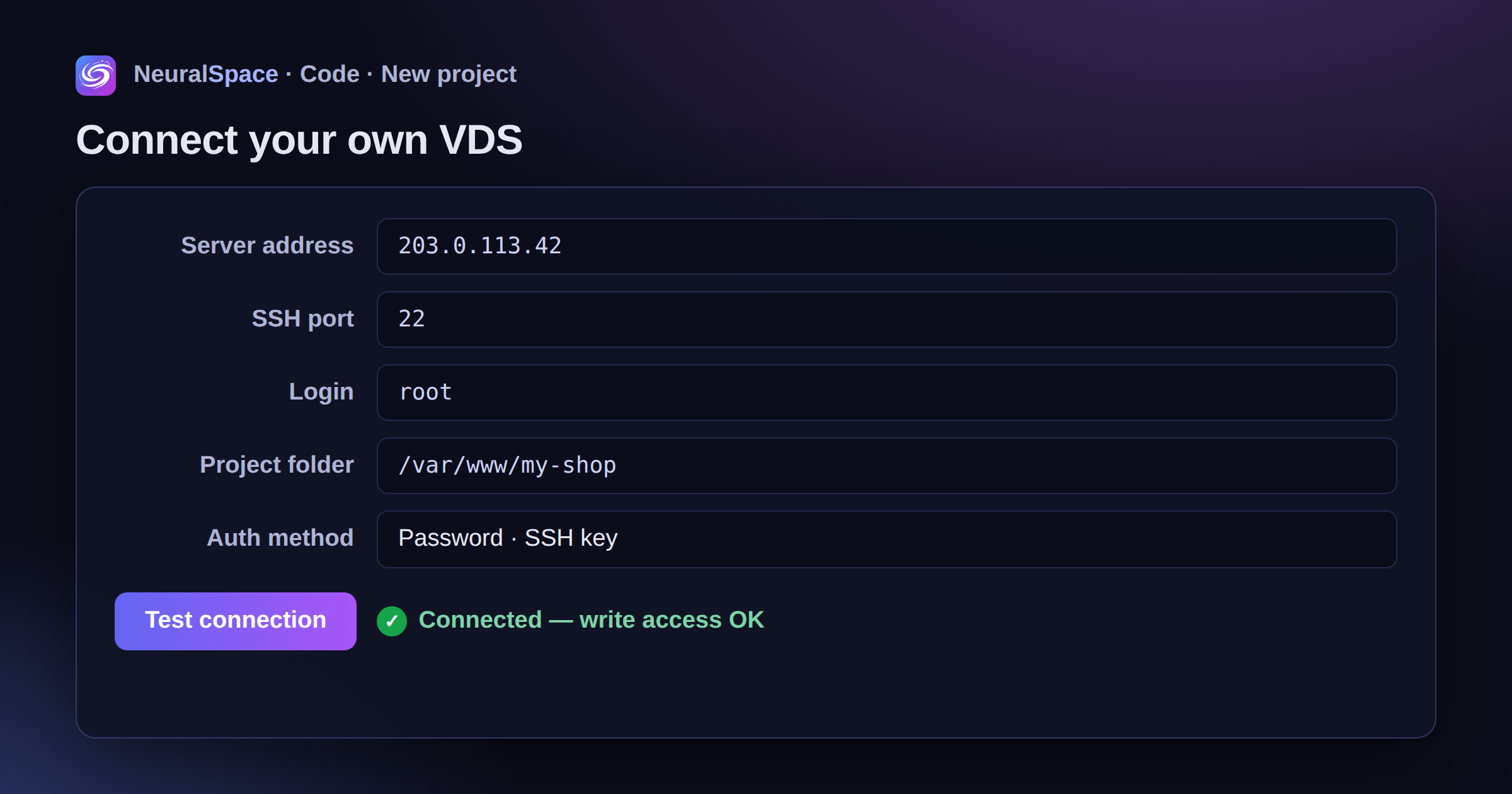
- Server address — the IP or domain of your VDS (the same one you SSH into).
- SSH port — 22 by default; if you moved SSH to another port, put it here.
- Login — your SSH user, usually
root. A regular user works too, as long as it can write to the project folder. - Project folder — where the AI drops the files, e.g.
/var/www/my-shop. If the folder doesn't exist, it gets created. - Auth method — a password or a private SSH key (pasted in full, without a passphrase).
Then hit "Test connection" — the service connects to the server, checks the login and write access to the folder, and shows a green check. After that you create the project as usual: describe the task, pick a model, and the AI starts working right on your server.
Can't connect? The AI figures it out
Classic story: the password is right but the connection still fails. The reasons vary — a closed port, fail2ban, root password login disabled in the sshd config, the cloud provider's firewall. That's exactly why there's an AI diagnostic built into the form:
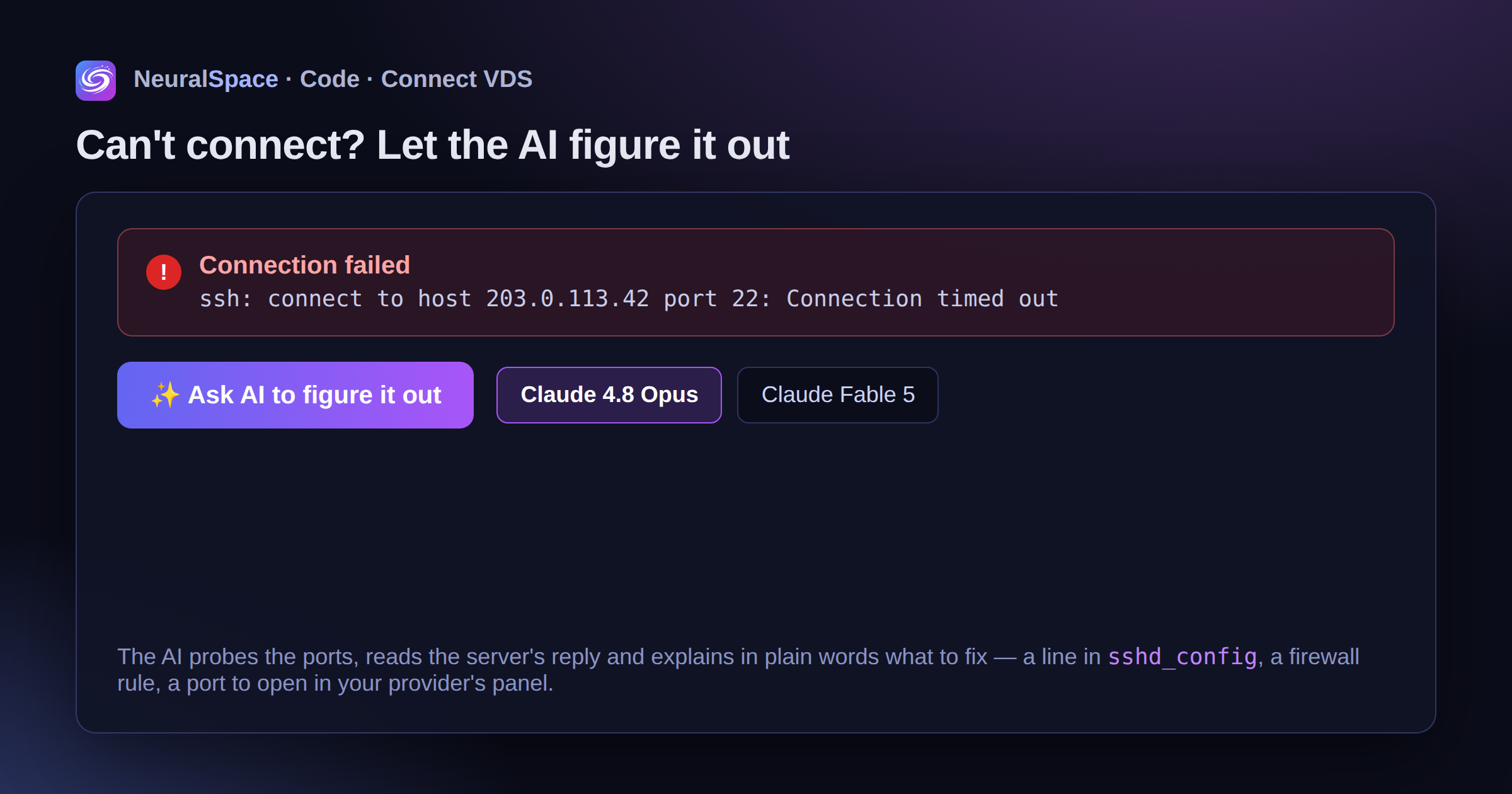
If the check fails, an "Ask AI to figure it out" button appears under the error. You pick a model — Claude 4.8 Opus or the brand-new Claude Fable 5 — and the AI probes the ports itself, reads the server's response and explains in plain English what's wrong and how to fix it: which line to edit in sshd_config, which rule to add to the firewall, where in your provider's panel to open the port. The diagnostic is billed in tokens at the normal rate for the model you picked — same as a chat message.
What about security
- The password and SSH key are stored encrypted only (AES-256-GCM) and used solely to connect to your project.
- Credentials are never sent back to the browser and never shown in the interface.
- Connections to private and local addresses are blocked — you can't point the agent "inside" someone else's infrastructure.
- We'd suggest setting up a separate SSH user for the AI, or a separate VDS for experiments — good practice for any automation, really.
How it differs from other server types
- Shared container (the default) — instant start, nothing to configure, but the environment is isolated and there are size limits on the project.
- Dedicated server — rented in a couple of clicks through NeuralSpace, billed hourly, full access.
- Your own VDS — your server, free hosting, full access with no limits. No archiving or snapshots needed: the files already live with you.
FAQ
Does a VPS from any provider work? Yes — you just need any Linux server with SSH and a public IP: Hetzner, DigitalOcean, Timeweb, Selectel, and so on.
How much does it cost? Connecting and hosting — $0. Only the AI models are billed, at the same prices as in cloud projects.
Can I move an existing site over? Yes: point it at the folder with your existing project and the AI will see the files and pick up from there.
What happens if I delete the project in NeuralSpace? Only the records on our side get deleted. The files on your server stay untouched.
You can try it right now — create a project on your own VDS in the "Code" section.
Часто задаваемые вопросы (FAQ)
Вопрос: Как получить лучший результат от нейросети?
Ответ: Используйте подробные промпты (описания) на английском языке, задавайте стиль и детали сцены.
Вопрос: Можно ли использовать эти материалы в коммерческих целях?
Ответ: Да, сгенерированный контент полностью принадлежит вам.