Gemini Omni Video: what Google's real-time video mode can do
Коротко о главном (BLUF)
В этом материале мы разбираем ключевые аспекты работы с нейросетями: актуальные модели, практические советы по промптам и примеры генераций. Читайте дальше, чтобы узнать подробности.
Last week a colleague sent me a video — someone shows their wardrobe on a live stream while Gemini comments on the clothes in real time and suggests outfits. First thought: "another demo that never works in real life." Second thought, after testing it: it works. Not perfectly, but it works.
Where the word "Omni" comes from
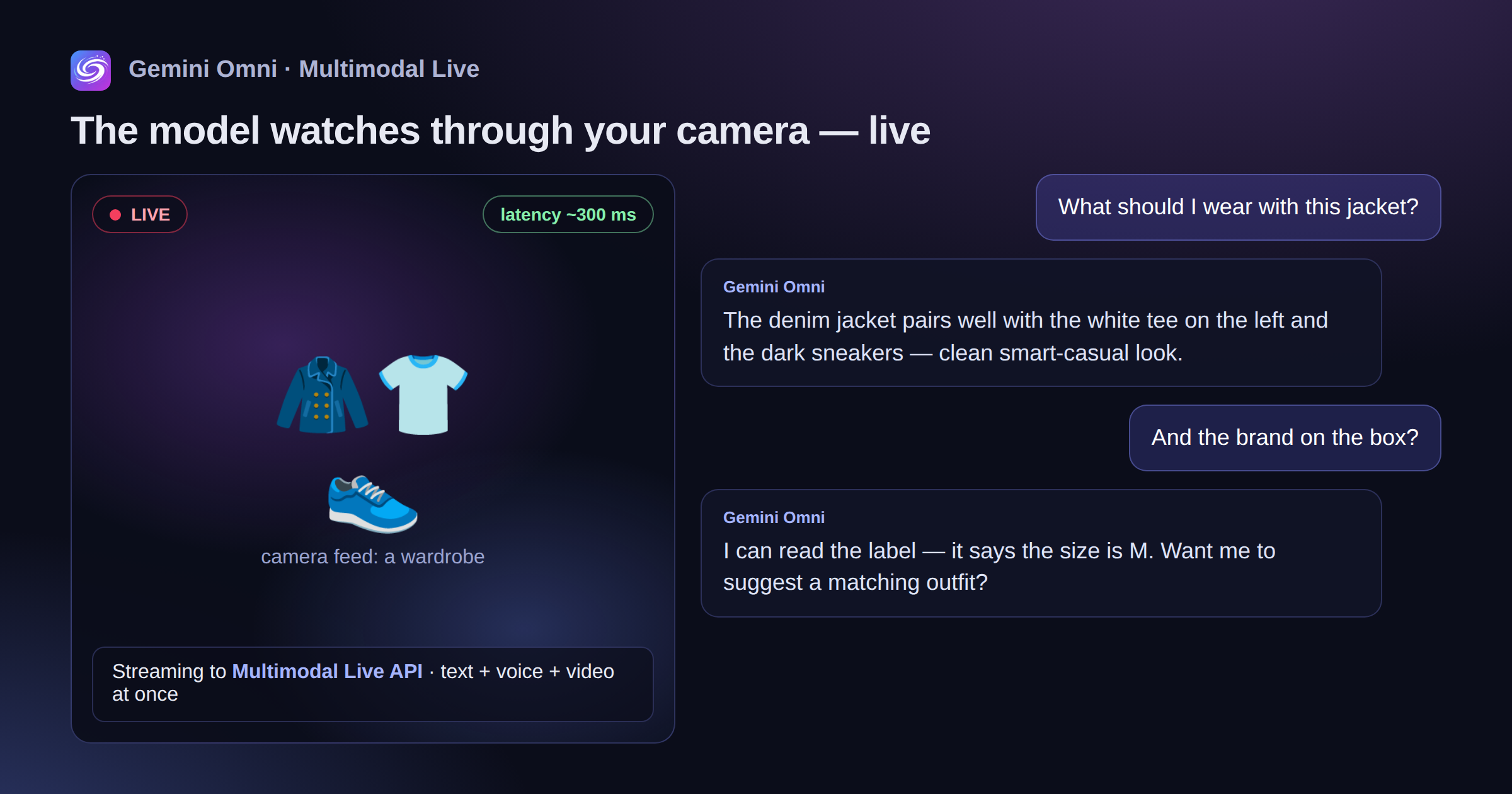
"Omni" means "all at once." Just like GPT-4o (omni), Gemini now has a mode where the model works with text, voice, images and video simultaneously. Not one after another. Not "frame first, answer later." As a stream.
Specifically, Gemini Omni Video can take a live camera feed and react to what's happening in real time. Name objects. Read text on screen. Answer questions about what's in the frame right now.
Technically this is the Multimodal Live API. The video stream goes to Google's servers, the model processes it and replies with a 200–400 ms delay. That already feels like a conversation, not a request-and-response.
What the model actually does with video
It's worth separating three different things:
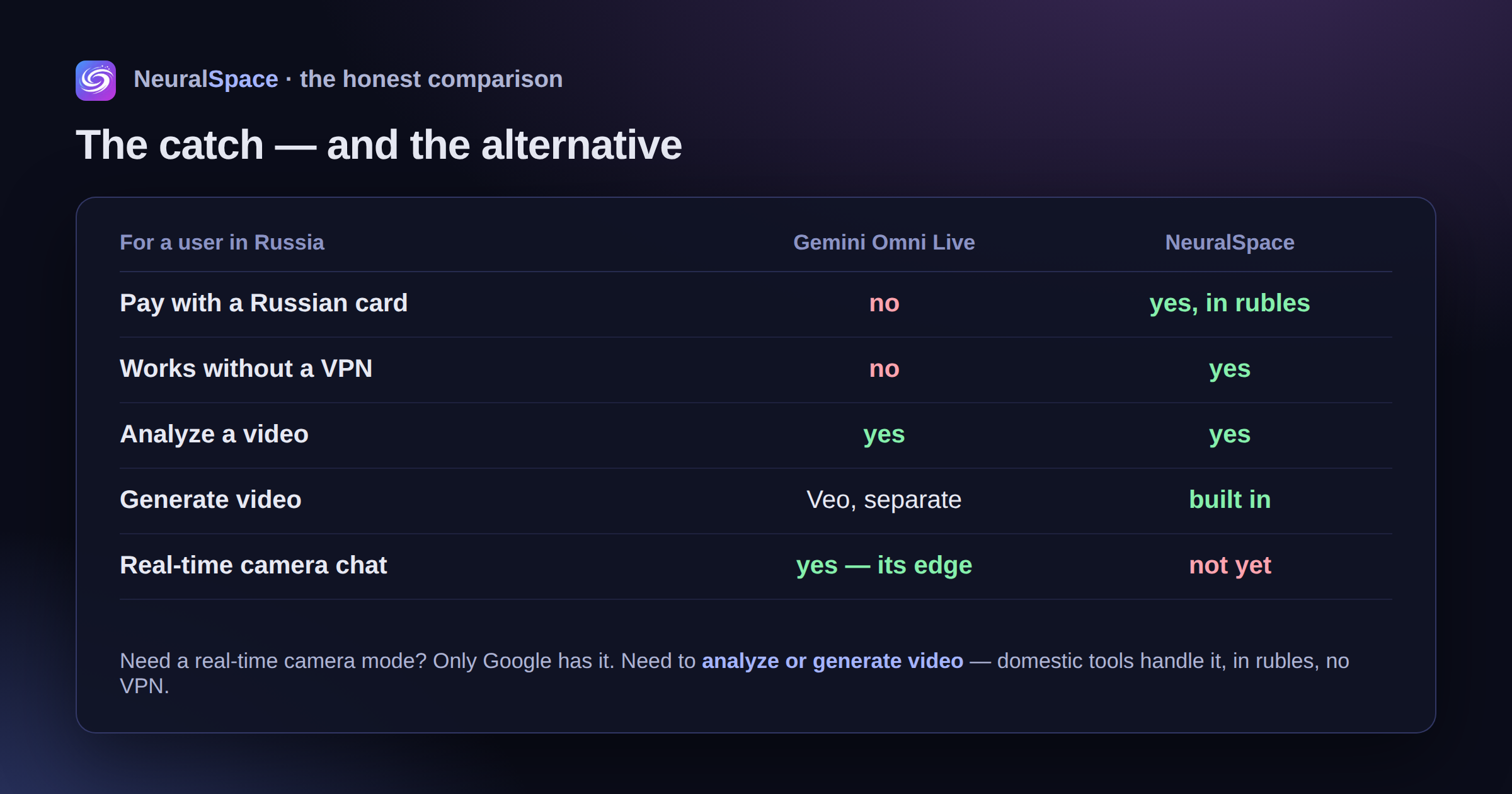
- Analyzing an uploaded video — you drop in a clip and ask it to describe the footage or find a specific moment. This already worked back in 2024.
- Real-time mode — the model watches through the camera together with you. This is fundamentally different.
- Video generation — here Google launched Veo 3 separately; that's another story and another tool.
In Omni Live mode you can point your phone at a broken electrical panel and ask "what's wrong" — and get an answer almost instantly, with no upload wait. Or show a dish at a restaurant and learn its rough ingredients. Or show the code on your monitor and get feedback right away.
A real case: debugging code through the camera
One of the most practical scenarios is streaming your screen while debugging. Open Google AI Studio, turn on video mode, show your IDE. Ask: "why is this null here?" — the model sees the actual stack trace and answers to the point.
I worked like this with a Python script for about twenty minutes. Low latency, on-point answers. The only catch — after 20 minutes the phone started heating up, so I switched to a laptop.
It also works well with documents. Put a sheet of paper in front of the camera, ask questions — the model reads the text and answers. It sometimes trips on unusual fonts, but the accuracy is decent overall.
Where's the catch
Let me be honest about what's annoying.
First — access. Gemini 2.0 with Omni Video lives in Google AI Studio and in the app with the Advanced subscription. There's a trial. After that — you pay. You can't add a Russian bank card. A VPN is needed not just to sign up, but for the stream to run stably.
Second — privacy. When you stream video to Google, it goes somewhere. The company says "we don't store it," but you take that on trust.
Third — session limits. You can't watch forever; there are limits on stream length. And quality drops noticeably on a poor connection.
What a Russian user should do
Two paths.
The first — VPN + Google AI Studio. It works, but with headaches: you need a stable connection, a non-Russian card, and sometimes the session just drops.
The second — build a working stack from available tools. NeuralSpace gathers AI services with payment in rubles, no VPN and no foreign cards. For video there's video generation — not Omni Live, but enough for most tasks. Plus a chat with multimodal models, image work and voice tools.
If you specifically need "I look into the camera and talk in real time" — no Russian service has that format yet. It's genuinely Google's innovation. But if the task is "analyze video material" or "generate video content," domestic tools handle it too, and you can register there right now without a VPN.
What to choose depends on the task. And on how much you're willing to fiddle with a VPN for a 20-minute demo.
Часто задаваемые вопросы (FAQ)
Вопрос: Как получить лучший результат от нейросети?
Ответ: Используйте подробные промпты (описания) на английском языке, задавайте стиль и детали сцены.
Вопрос: Можно ли использовать эти материалы в коммерческих целях?
Ответ: Да, сгенерированный контент полностью принадлежит вам.