SwitchX by Beeble AI: swap objects and style in a finished video
Коротко о главном (BLUF)
В этом материале мы разбираем ключевые аспекты работы с нейросетями: актуальные модели, практические советы по промптам и примеры генераций. Читайте дальше, чтобы узнать подробности.
You know the feeling: the video's shot, the lighting's set, the take is great — and then you watch it back and realise the jacket is the wrong colour, the background is dull, and honestly you wanted winter but it was summer outside the window. Reshoot? It used to be the only option. Now the "Video" section on NeuralSpace has SwitchX by Beeble AI, which fixes all that without filming a single new frame.
What it does to your video
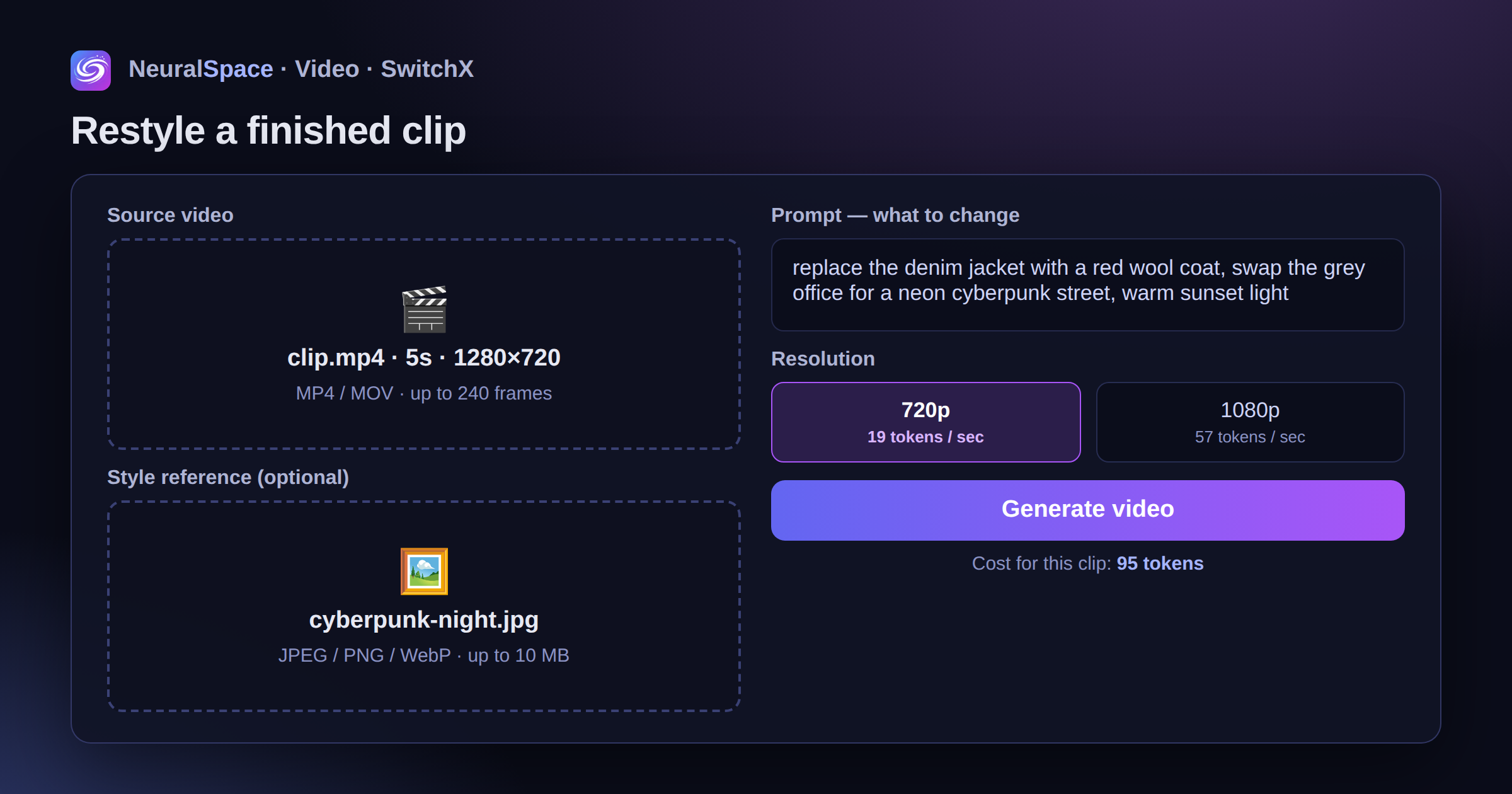
SwitchX is video-to-video. You upload a finished clip, describe in words what you want changed, and the model swaps objects, style or lighting while keeping the motion and composition of the shot. The person walks the same way, the camera moves the same way — but instead of a denim jacket they're in a coat, and instead of a grey office the world around them is neon cyberpunk.
Instead of text (or alongside it) you can drop in a reference — an image with the look you're after. JPEG, PNG or WebP up to 10 MB. And a reference with no prompt works too: the model will figure out what you meant.
What it costs, and where the catch is
The price is tied to the length of the source clip:
- 720p — 19 tokens per second of video;
- 1080p (Full HD) — 57 tokens per second. Three times more, yeah.
A five-second clip at 720p comes to 95 tokens. The cost is shown before you start — right under the generate button, no surprises.
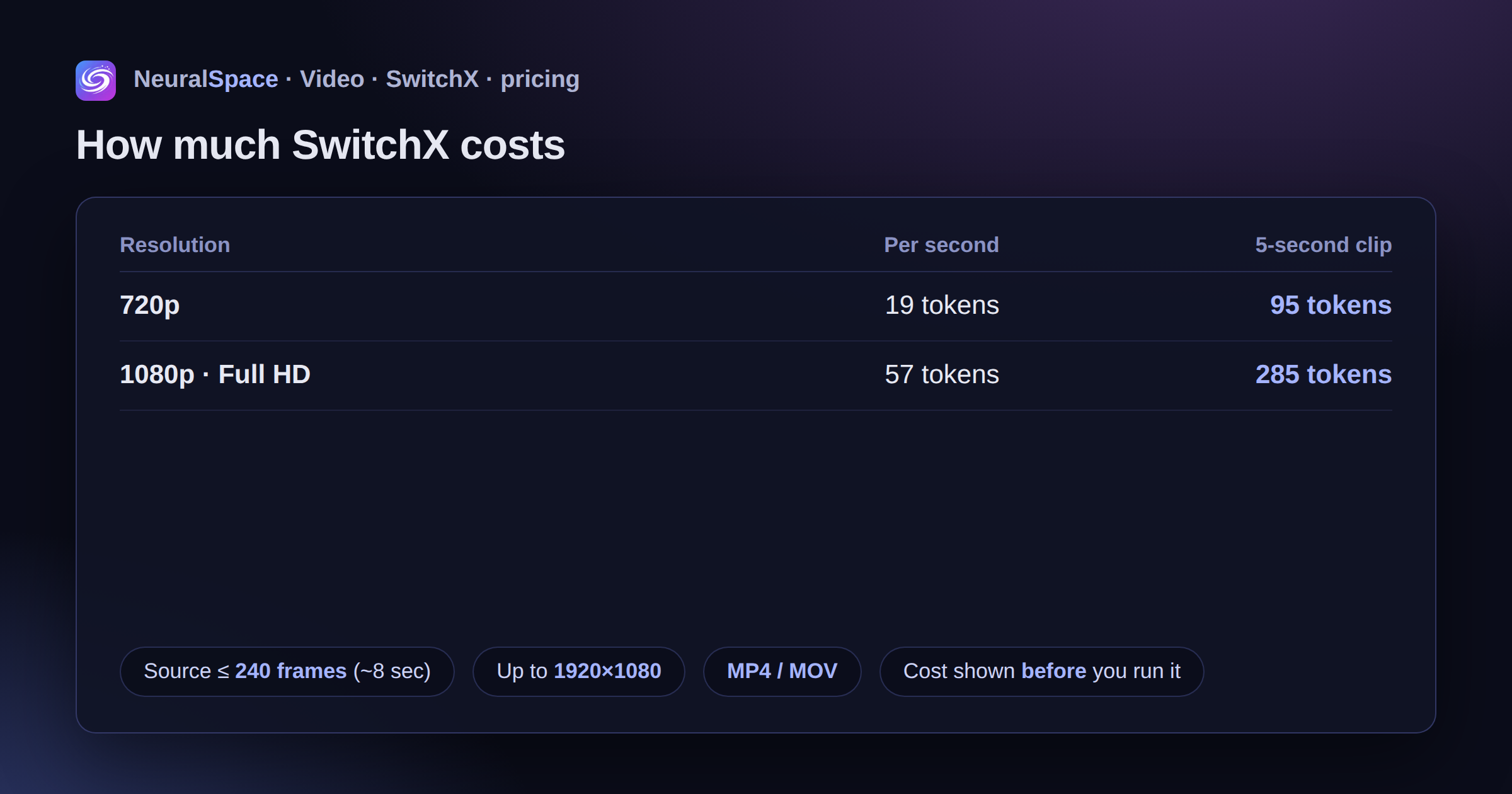
Now, honestly, about the limits. The source is capped at 240 frames — that's roughly 8 seconds at a normal frame rate. You can't run a whole long vlog through it, only a cut. Source resolution goes up to 1920×1080, formats MP4 and MOV. And one more thing: generation goes through a queue, so a couple of minutes of waiting is normal — the result shows up in the history on the same page.
Running it: four steps
No Beeble account, no VPN, no foreign cards — it all happens inside the platform:
- Open the "Video" section and pick SwitchX from the model list.
- Upload the source clip (the one up to 8 seconds).
- Write a prompt — what to change. And/or upload a style reference.
- Choose 720p or 1080p and hit "Generate video".
That's it. The model thinks, you drink your tea.
What to write in the prompt so you don't burn tokens
The main mistake is being vague. "Make it nice" won't work. What works is specifics: "replace the jacket with a red coat", "evening city with neon signs instead of the background", "warm sunset light". The limit is 2000 characters, but a sentence or two is usually enough.
My advice — start with 720p. Run it, look, tweak the prompt, and only push the final version through at 1080p. That works out noticeably cheaper than iterating in Full HD from the start.
And if you're out of ideas, peek at what other people are doing in the trends feed: you can see both the result and the approach.
Who actually needs this
SMM people — recolouring the same clip for different campaigns instead of three shooting days. Short-video creators — making stylised versions of takes that worked. And just for the fun of it: grab a clip off your phone and see how it looks in anime or noir style. It's addictive, fair warning.
The tokens are the same ones the rest of the platform's models use — you can top up your balance with a Russian card or via SBP. If you've already tried SwitchX, tell us in the comments how it turned out: we'll feature the most interesting cases separately.
Часто задаваемые вопросы (FAQ)
Вопрос: Как получить лучший результат от нейросети?
Ответ: Используйте подробные промпты (описания) на английском языке, задавайте стиль и детали сцены.
Вопрос: Можно ли использовать эти материалы в коммерческих целях?
Ответ: Да, сгенерированный контент полностью принадлежит вам.